How to Get Internet in China: SIM, eSIM & VPN Guide (2026)

Google, Gmail, WhatsApp, Instagram, Facebook, YouTube, and many other international services are blocked or restricted on normal mainland China internet connections.
That means having mobile data or hotel Wi-Fi doesn’t necessarily mean the apps you use at home will work.
How to get internet in China? We used a physical SIM on a Chinese network + VPN. We bought the SIM before our trip, scheduled its activation, and downloaded and tested our VPN before flying.
Here’s what worked for us, how SIMs and eSIMs compare, and what you should set up before traveling to China.
TL;DR: Best Ways to Get Internet in China
- Physical SIM + VPN: What we used. The SIM gave us mobile data; the VPN gave us access to blocked apps.
- Travel eSIM: Usually the easiest option for compatible phones. Some internationally routed plans can access Google, WhatsApp, and social media without a separate VPN.
- Pocket Wi-Fi: Useful for families or groups, but it doesn’t automatically bypass China’s internet restrictions.
- Hotel Wi-Fi: Usually available, but still subject to the Great Firewall.
- Before you fly: Install your SIM/eSIM and VPN, test everything, and save important travel information offline.
The key: Whether blocked apps work depends largely on how your data is routed, not simply whether you’re using a SIM, eSIM, or Wi-Fi.

What's In This Article?
Disclaimer: Our blog posts contain affiliate links. These don’t cost you anything, but they allow us to keep this site running and keep providing free content for our readers.
How We Got Internet in China
We ordered a physical SIM card online before our trip to China and scheduled its activation date in advance.
It activated automatically after we landed in Beijing, so we didn’t have to find an airport SIM counter or depend on airport Wi-Fi to get connected.
Our setup was:
Physical SIM → Chinese mobile network → VPN → Google, Gmail, WhatsApp and other blocked services
The distinction is important: the SIM gave us mobile internet; the VPN gave us access to international services blocked on the Chinese network.
It worked well for our trip, and we’d use a similar setup again.
What Apps Are Blocked in China?
You can have full 4G, 5G, or Wi-Fi service in China while certain apps refuse to load.
Commonly blocked or restricted services include:
| App or Service | Chinese Network Without VPN | With a Working VPN | Internationally Routed Travel Data* |
|---|---|---|---|
| Blocked | Can work | Usually accessible | |
| Gmail | Blocked | Can work | Usually accessible |
| Google Maps | Blocked | Can work | Usually accessible |
| Blocked/restricted | Can work | Usually accessible | |
| Blocked | Can work | Usually accessible | |
| Blocked | Can work | Usually accessible | |
| YouTube | Blocked | Can work | Usually accessible |
| Works | Works | Works | |
| Alipay | Works | Works | Works |
| DiDi | Works | Works | Works |
*Travel SIMs and eSIMs vary. Check how your specific provider routes data in mainland China before buying.
How to Get Internet in China: Your Main Options
Most international travelers use one of three options:
- A physical SIM card
- A travel eSIM
- Pocket Wi-Fi
All can provide internet. The bigger question is whether the connection uses a normal mainland Chinese network or routes your data internationally.
Physical SIM: What We Used
We ordered our physical SIM before leaving home.
A physical SIM makes sense if your phone doesn’t support eSIM, you prefer a removable SIM, or you need features such as SMS or a local number.
Our SIM used a Chinese mobile network, so we paired it with a VPN for blocked international services.
Some travel SIMs include a Chinese number or SMS; others don’t. Check the exact plan before buying.
Travel eSIM for China
For compatible phones, a travel eSIM is often the easiest option because you can install it digitally before departure.
Some international China eSIMs route data outside mainland China. With these plans, Google, Gmail, WhatsApp, Instagram, Facebook, and other blocked services may work directly over cellular data without a separate VPN.
But don’t assume every China eSIM does this.
Before buying, check whether the provider specifically mentions:
- internationally routed data
- unrestricted internet access
- access to Google/social media in mainland China
- whether a VPN is required
Pocket Wi-Fi
Pocket Wi-Fi lets several phones, tablets, or laptops share one connection, which can be useful for families or groups.
But it doesn’t automatically bypass the Great Firewall. Whether blocked apps work depends on how that provider routes its internet traffic.
Physical SIM vs eSIM vs Pocket Wi-Fi
| Physical SIM | Travel eSIM | Pocket Wi-Fi | |
|---|---|---|---|
| Physical device/card | SIM card | No | Separate device |
| Mobile data | Yes | Yes | Yes, via hotspot |
| Multiple devices | Hotspot if supported | Hotspot if supported | Yes |
| Chinese phone number | Depends on SIM | Usually no | No |
| Can bypass firewall automatically | Depends on routing | Some plans | Depends on provider |
| VPN may still be needed | Yes on Chinese network | Depends on routing | Depends on routing |
| Best for | What we used / SIM users | Convenience | Families/groups |
For most travelers, the deciding factor shouldn’t simply be SIM vs. eSIM. Check how the data is routed.
Physical SIM
(what we used)
Real Chinese number, works with local SMS verification. Order online, schedule activation, arrives by mail.
Get the SIM we used →eSIM
No physical card, install digitally before you fly. Some plans bypass the firewall without a VPN.
Browse eSIM plans →Pocket Wi-Fi
One device, multiple phones and laptops connected. Good for groups or families.
Compare Pocket Wi-Fi →Do You Need a VPN in China?
If you’re using a normal mainland Chinese connection and want Google, Gmail, WhatsApp, Instagram, Facebook, YouTube, or other blocked services, you’ll need a way to access them.
We used a VPN with our Chinese-network physical SIM.
You may not need a separate VPN if your international travel SIM or eSIM already routes data outside mainland China.
A VPN can also be useful on hotel Wi-Fi, which is normally subject to the same internet restrictions.
VPN performance can change, so don’t wait until you arrive in China to figure it out.
Before You Fly
If you’re using a VPN:
- download the app
- create your account
- log in
- install updates
- test the connection
- save any setup instructions offline
Do this while you still have unrestricted internet access at home.
Set Up Your Internet Before Traveling to China
1. Buy Your SIM or eSIM Before Departure
We ordered our SIM online and scheduled its activation date. It activated after we arrived in China.
If you’re using an eSIM, install it before departure so you can solve any compatibility or installation problems at home.
2. Check How Your Data Is Routed
Don’t choose a plan just because it says “China SIM” or “China eSIM.”
Check whether it uses a mainland Chinese connection or internationally routed data and whether you’ll need a VPN.
3. Have a Backup
If staying connected is important, don’t depend entirely on one setup.
A backup could be:
- another VPN already installed
- a second SIM/eSIM
- internationally routed mobile data
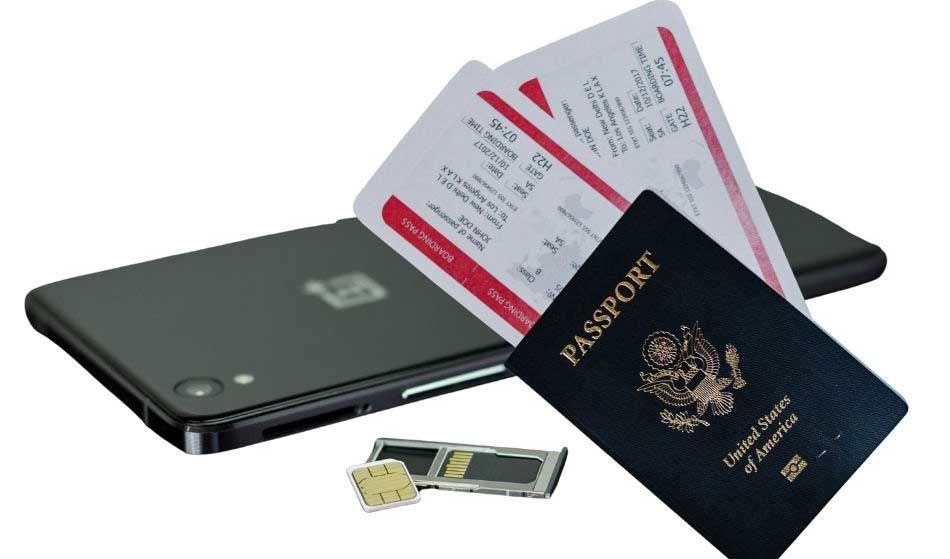
4. Save Important Information Offline
Before flying, screenshot or download:
- hotel names and addresses
- flight and train details
- attraction tickets
- booking confirmations
- QR codes
- transportation information
- emergency contacts
Keep an offline or alternative mapping option available too.g option available rather than relying entirely on Google Maps.
Does Hotel Wi-Fi Work in China?
Yes. Most hotels provide Wi-Fi, but ordinary hotel Wi-Fi generally doesn’t bypass the Great Firewall.
You can have a fast connection and still find Google, Gmail, WhatsApp, Instagram, Facebook, or YouTube unavailable.
One thing to watch for: your cellular data may work perfectly, but your phone automatically connects to hotel Wi-Fi and suddenly your apps stop loading.
If that happens, turn off Wi-Fi and test your cellular data first.
If you’re relying on hotel Wi-Fi for blocked international services, having your VPN installed before the trip can be useful.
What to Do If Your Internet Stops Working in China
Before changing a bunch of phone settings, determine whether you’ve actually lost internet or you’re simply trying to open a blocked service.
- Turn off Wi-Fi. Your phone may have connected automatically to hotel or public Wi-Fi.
- Test cellular data. Make sure the correct SIM/eSIM is selected.
- Try WeChat or another Chinese app. If it works but Google doesn’t, your connection may be fine—the issue may be the Great Firewall.
- Connect your VPN if you’re using a mainland Chinese connection.
- Restart your phone or switch to your backup connection if needed.
VPN connection methods can change, so follow your provider’s current China instructions.
Taking the Kids to China? Start Here.
China takes more prep than most trips.
Payments, internet, apps and transportation work differently. Get our free China Travel Cheat Sheet with the practical things we used and learned on our trip.
Enter your email and I’ll send it straight to your inbox.
No spam—just the cheat sheet and occasional practical family travel tips. Unsubscribe anytime.
Internet in China FAQ
How do tourists get internet access in China?
Most travelers use a physical SIM, travel eSIM, international roaming, or pocket Wi-Fi.
We used a physical SIM ordered online before our trip, operating on a Chinese network, paired with a VPN for access to blocked international services.
Does WhatsApp work in China?
WhatsApp is restricted on normal mainland Chinese internet connections. A working VPN or internationally routed mobile data can provide access.
Does Google work in China?
Google and many Google services are blocked on normal mainland Chinese internet connections.
Because our physical SIM used a Chinese network, we used our VPN when we needed Google services.
Does Google Maps work in China?
Google Maps is blocked on normal mainland Chinese connections. It may be accessible through a working VPN or internationally routed mobile data.
Have another mapping option or important locations saved offline as a backup.
Does hotel Wi-Fi in China get you past the Great Firewall?
Usually No. Ordinary hotel Wi-Fi uses a mainland internet connection and is generally subject to the same restrictions.
Can I buy or download a VPN after I land in China?
Don’t depend on being able to do this.
VPN provider websites can be blocked, and access to VPN apps can be inconsistent. Download your VPN, create your account, and log in before departure.
Do I need a VPN if I have a Chinese SIM?
If you’re using a Chinese-network SIM and want access to international services blocked by the Great Firewall, you’ll need a method of accessing those services.
We used a VPN with our physical Chinese-network SIM.
Do I need a VPN with a China eSIM?
Not necessarily.
Some international travel eSIMs route data outside mainland China, allowing blocked services to work without a VPN. Other plans may not.
Check the specific provider’s routing before buying.
Is a physical SIM better than an eSIM in China?
Neither is automatically better.
We used a physical SIM because it worked for our setup. An eSIM can be more convenient for compatible phones, particularly if the plan provides internationally routed data.
The more important question is how the data is routed, not whether the SIM is physical or electronic.
Does pocket Wi-Fi bypass the Great Firewall?
Not automatically.
It depends on the network and routing used by the pocket Wi-Fi provider. If it uses an ordinary mainland Chinese connection, the Great Firewall still applies.
Should I buy a SIM before going to China?
We did, and we’d do it again.
Ordering our physical SIM before departure meant we had it in hand before our flight and could schedule the activation date ahead of time.
Is using a VPN in China legal?
China regulates VPN services and cross-border internet connectivity. The rules are more nuanced than simply saying all VPN use by tourists is either “legal” or “illegal,” so we wouldn’t rely on blanket statements online.
If this is important for your particular situation, check current official Chinese regulations and guidance before traveling.
Best Internet Setup for China: Our Bottom Line
What worked for us was a physical SIM on a Chinese network + a VPN installed and tested before departure.
For travelers with compatible phones, an internationally routed eSIM may be simpler because some plans can access blocked international services directly over cellular data.
Pocket Wi-Fi can also work well for families or groups.
Whichever option you choose, set it up before you fly and keep important travel information offline. It’s much easier than troubleshooting everything after landing in China.

Plan Your China Trip: Quick Links
- 📶 Get an international travel SIM — arrange it before departure
- 🔒 Install your VPN before you fly
- 💳 Get a Wise card for backup spending — see our China payment guide
- 🏨 Book a hotel in Beijing
- 🏔️ Book a Great Wall day trip or overnight tour
More China Travel Guides and Tips:
- 2 Day Great Wall of China Itinerary: Jinshanling, Gubeikou & Mutianyu
- How to Pay in China as a Foreigner in 2026: Alipay, WeChat Pay, Cash & Cards
- Jian Guo Garden Hotel Review: Our 2026 Beijing Stay
- 5 Day Beijing Itinerary With Kids
- 25 Essential Beijing Travel Tips for First-Time Visitors
- How to Get Internet in China: SIM, eSIM & VPN Guide (2026)
- We Slept Inside a Great Wall Watchtower: What It Was Really Like
- Is the Great Wall of China Hard to Climb? What It’s Really Like
- What Is China Really Like? 17 Things We Didn’t Understand Until We Went